Powerful automation isn't one tool.It's many, working as one system.
A model runtime, configurable agents, a workflow engine, app connections, communication channels, and a private knowledge base — automation needs all of it, integrated. Most teams spend weeks wiring these together and maintaining tools that break independently. Galileo's OS integrates and orchestrates all of it. That's the difference between a powerful machine and a machine that actually runs your work.
Six parts, one system.
- 01 · Local model runtime
- Open LLMs run on the machine's own compute via Ollama. Pull any model from the registry; inference never leaves the box.
- 02 · Agents
- A model plus its configuration — instructions, permissions, memory. The actors that do the work; you place them onto workflow nodes.
- 03 · Visual workflows
- Node-based builder where agents, app actions, and logic chain into multi-step automations. One workflow, many triggers: chat, schedule, or webhook.
- 04 · App integrations
- Connectors to the services your work depends on — storage, communications, project management, more — each authenticating via OAuth2 and contributing nodes to the workflow builder. A library of 100+; your machine loaded with the ones your company uses.
- 05 · Channels
- Surfaces you reach agents through: WhatsApp, email, Telegram, Discord, direct chat, webhooks. No new app to install.
- 06 · Knowledge base (RAG)
- Index your own documents locally; agents retrieve against them during workflows. Embedded, stored, and queried on the machine — nothing uploaded.
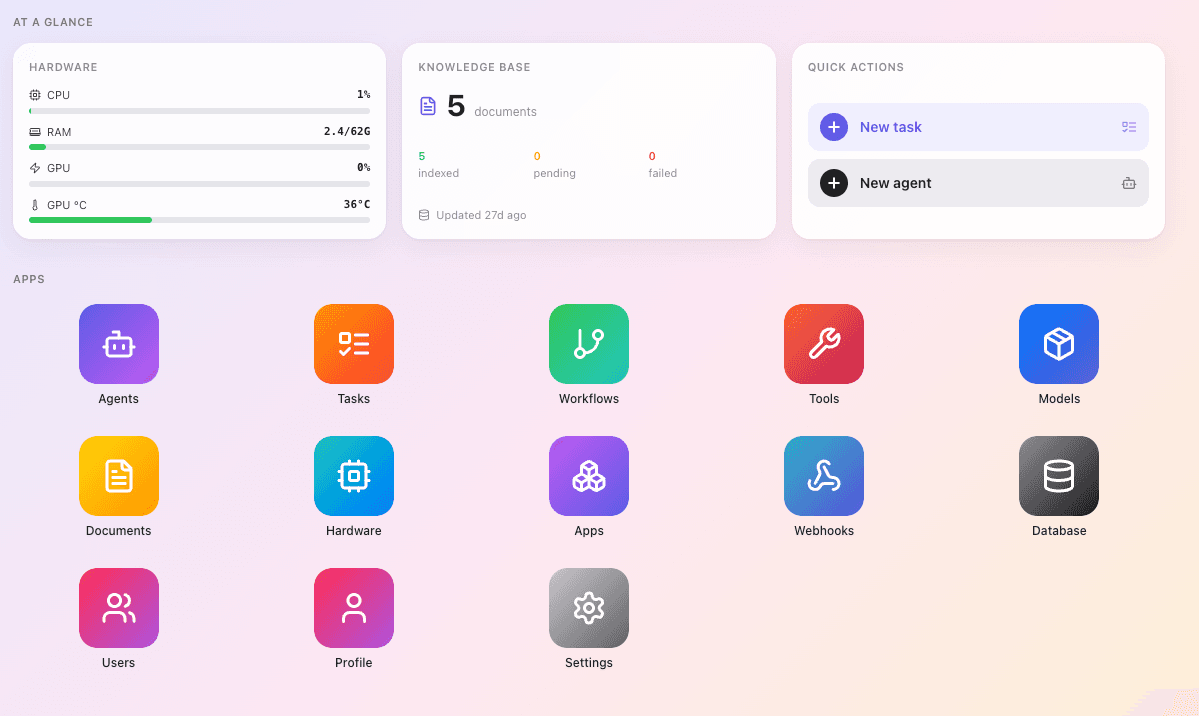
Anyone can list six parts. Integration is the product.
The proprietary OS is what makes them one system instead of six tools you assemble and maintain. Agents know about your apps. Workflows reach your channels. The knowledge base is available to every agent. Configure automations in days, not an integration project of weeks — because integration is already done.
Set up for your operation, not a generic box.
Before your machine ships, we run a short fit-gap assessment: map the apps and processes your company depends on, load the connectors you need, build any that don't exist yet. The machine arrives set up for your operation — not a generic box you configure yourself.
From there the workflow builder is yours. Add automations, adjust existing ones, chain connected apps however your process requires — no code, no waiting on us. The one thing we handle: new app connectors — if you later need a service that isn't loaded, our technicians add it.
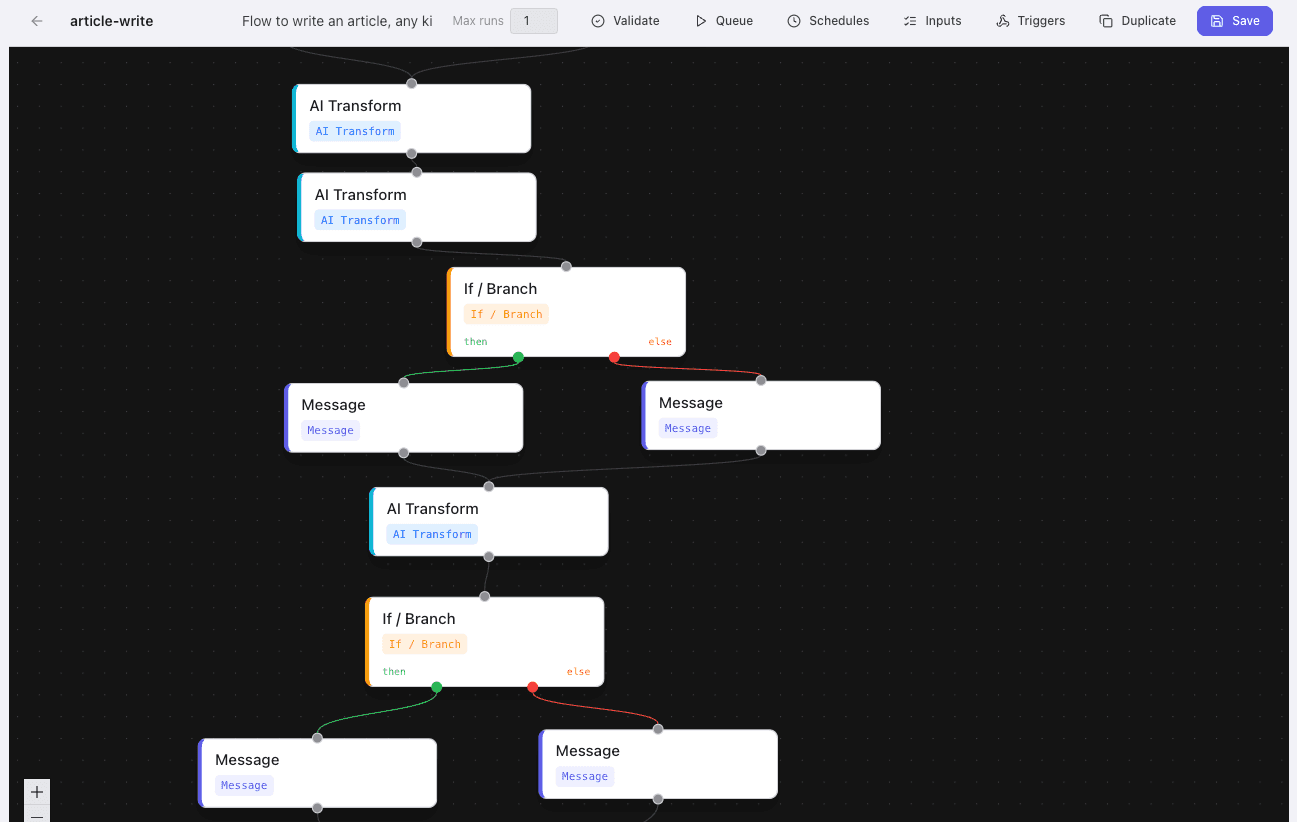
Ephemeral by design.
Agent tasks run inside ephemeral Docker containers — a workspace spins up to do the work, destroyed after. Nothing persists between runs unless you store it; nothing leaks between tasks. All of it runs on the machine you own, fully offline-capable. Your models, your data, your network.
See what Galileo would run for you.
Tell us your process; we'll map the automation.
Talk to us on WhatsApp